






Activating Windows 11 Using Only PowerShell Commands
Hello everyone, today I'm going to show you how to activate Windows 11 using only commands in the Windows PowerShell terminal.
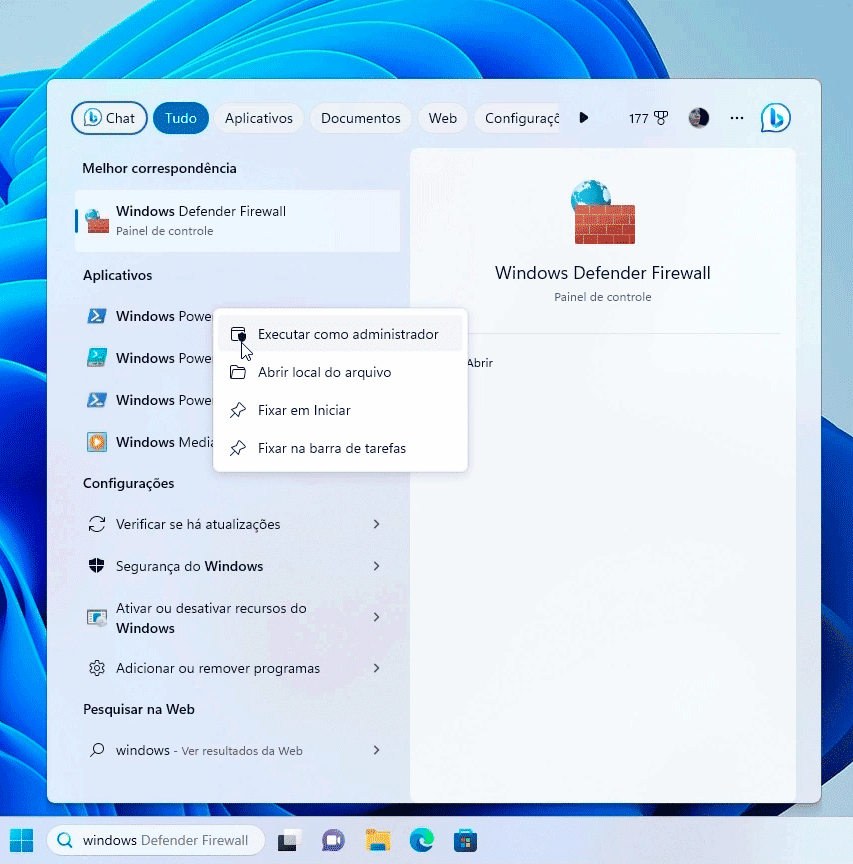
Now, without further ado, let's get to the procedure. Search for Windows PowerShell and run it as administrator.
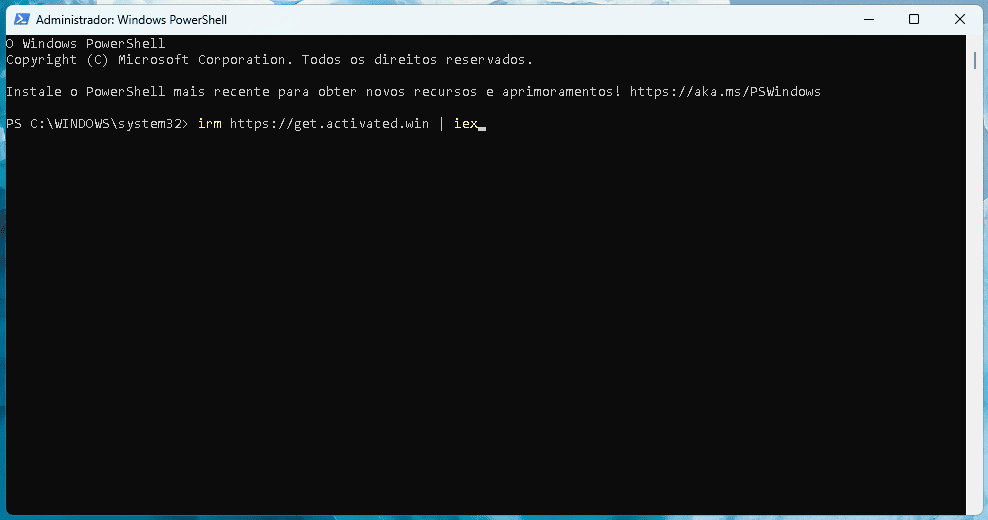
Now with the terminal open, simply enter this command. Just copy and paste it.
irm https://get.activated.win | iex
Pasting into the terminal is very simple: just right-click your mouse, and the command will be pasted. After pasting, just press Enter on your keyboard.
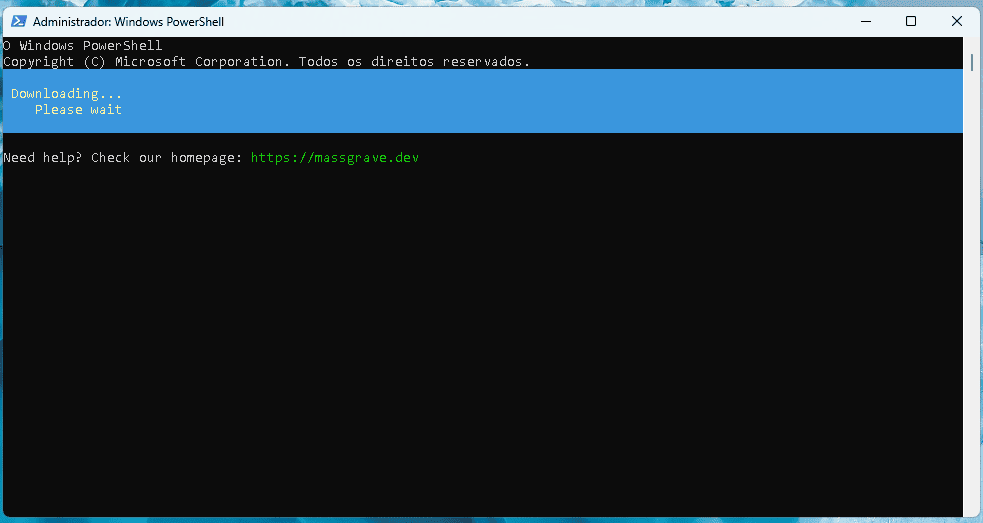
Now just wait for Windows to load the activation software. The software screen looks similar to the terminal.
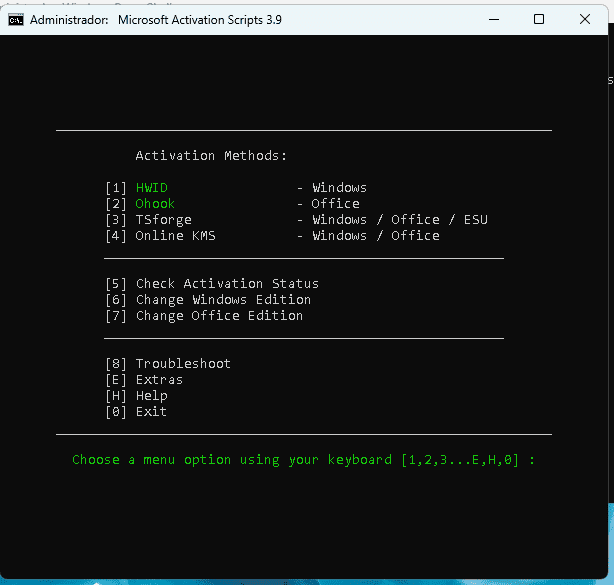
At this point, choose option 1. To do this, simply press the '1' key on your keyboard. Now, just wait for the activation process.
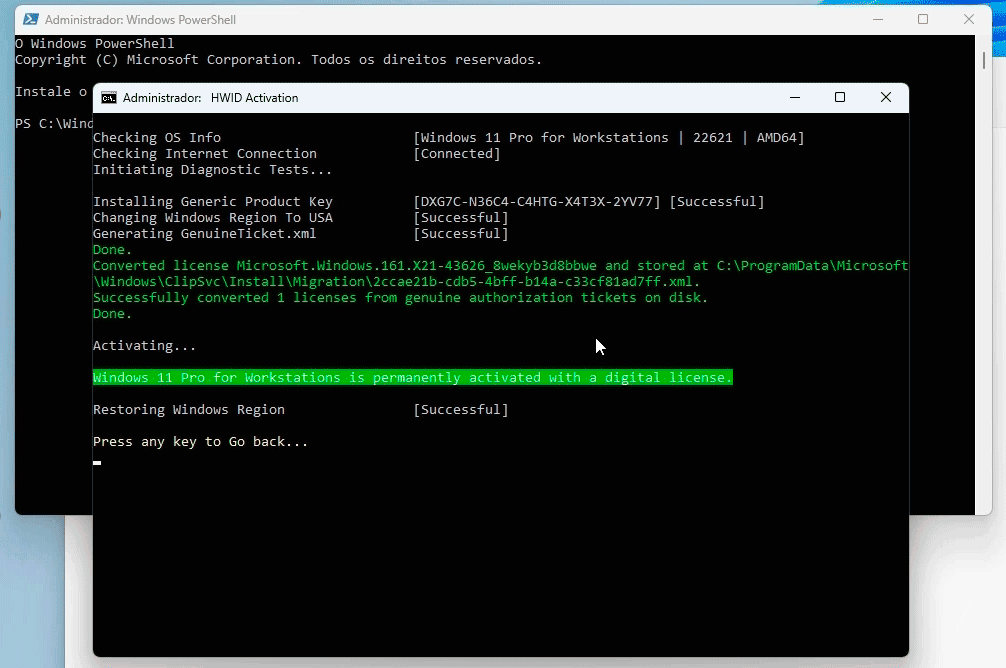
Done, your Windows is now activated. You can press Enter on your keyboard to return to the software's main menu, and then you can close it. As you can see, if we go to Settings under the System tab, Windows is now activated. Remember that this process works on Windows 11, 10, and 8.1.
Thanks everyone, I hope this article helps! If you liked it, please share it so we can help more people. Thanks and see you next time.
Source: Massgrave